New in 1.1.1: before and after on every tool

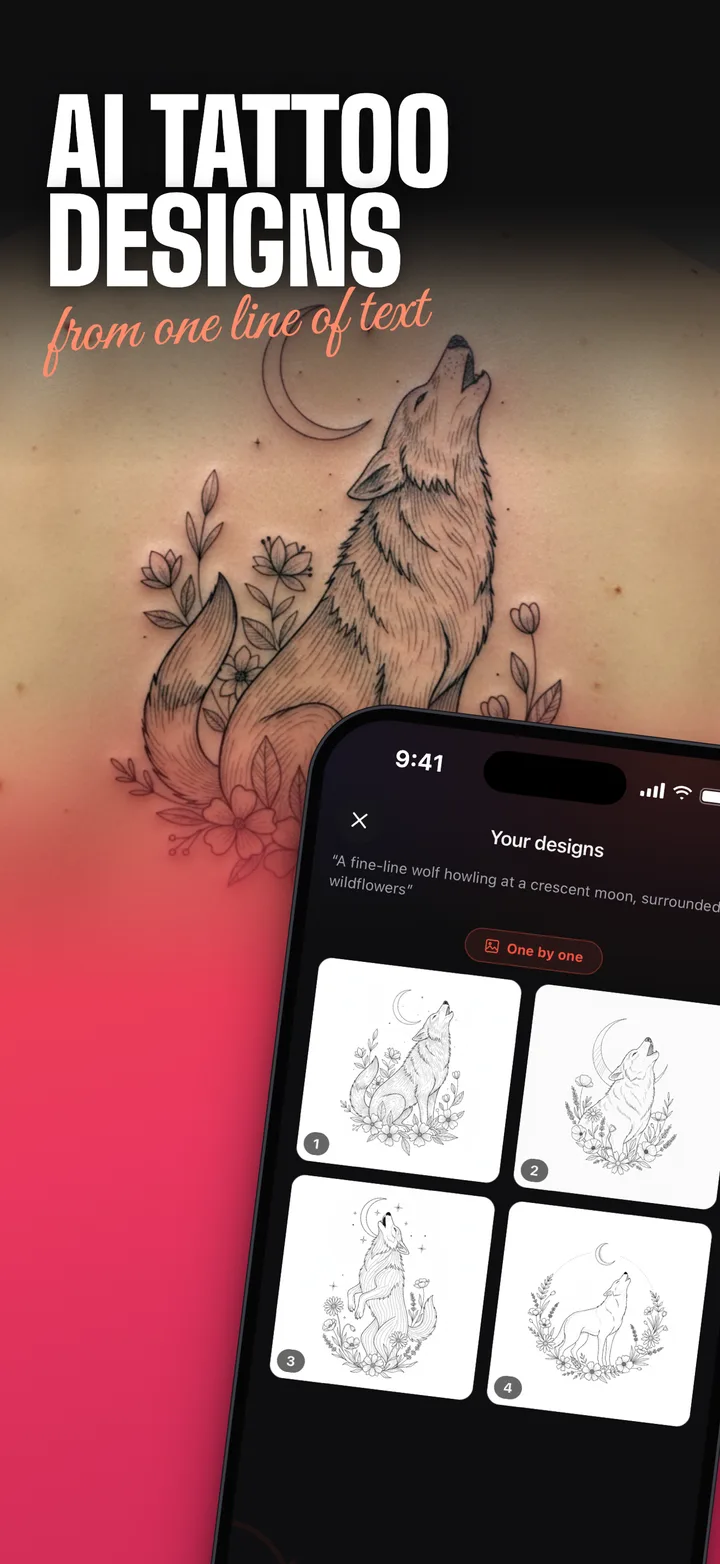
AI tattoo designs from one line of text

Describe any idea and get two unique designs in seconds. See it on your skin before you book, erase or cover up old ink, and walk into the studio with a stencil.

2designs per prompt
10+AI tattoo tools
33app languages
Fine lineBlackworkJapaneseGeometricTraditionalMinimalistDotworkWatercolorTribalOrnamentalLetteringNeo-traditional

Your personal tattoo studio in your pocket

Everything between “I have an idea” and “I’m booked”: design, try-on, fix and export.

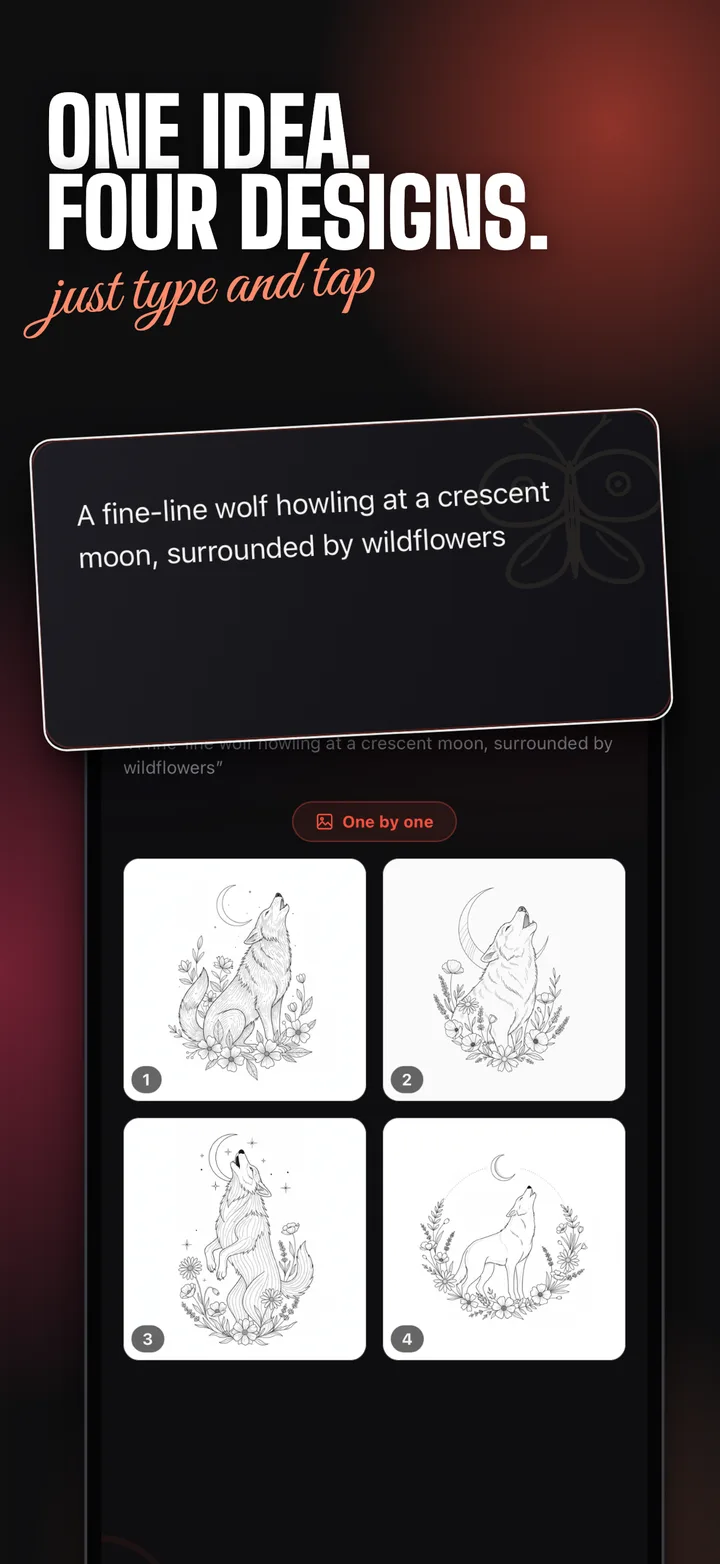
One tattoo idea turned into four AI designs
01 · Design

Describe it. Get it drawn. just type and tap

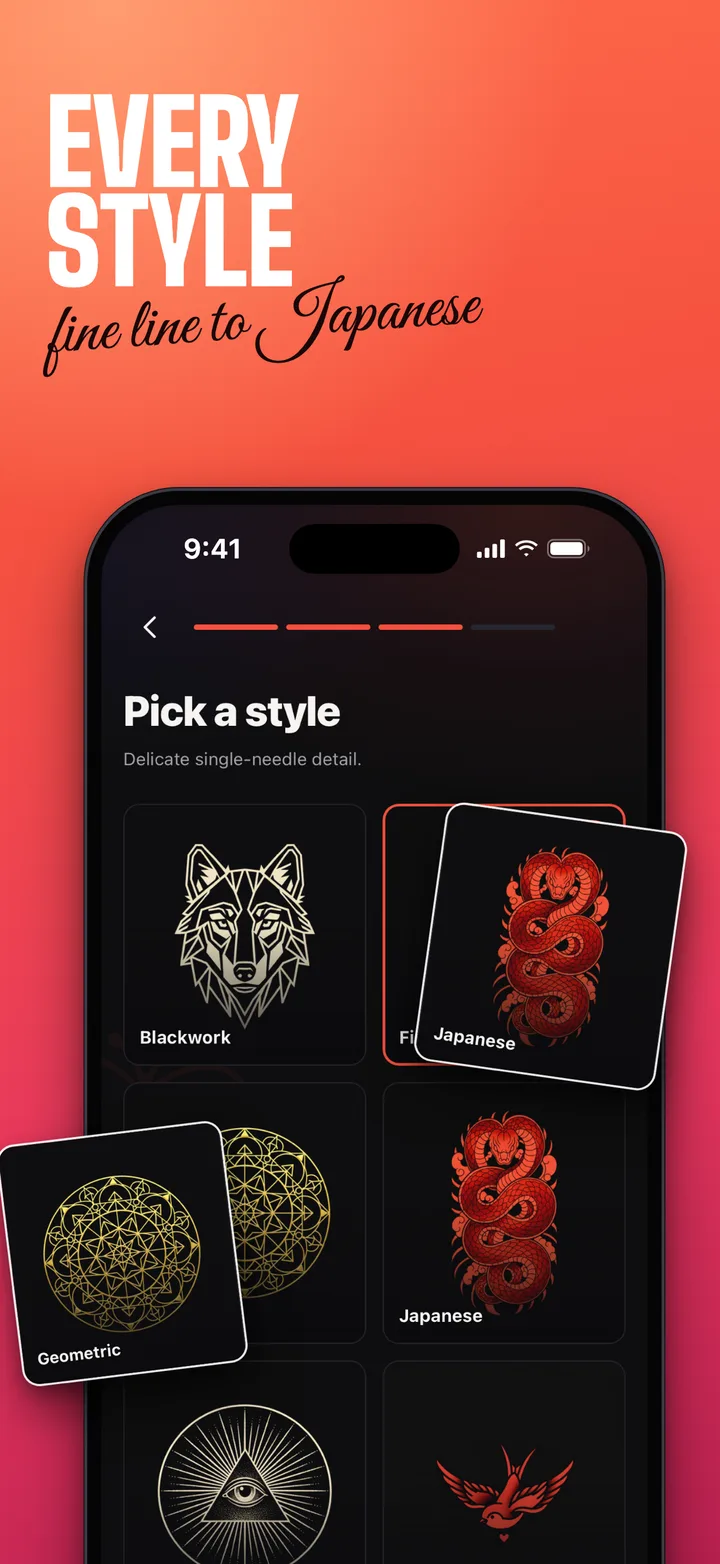
Write the idea in your own words, pick a style and a body placement, and the AI draws it for you. Every prompt gives two unique variations to compare side by side.

  • Dozens of styles, from tiny fine line to full sleeves
  • No idea yet? Tap Surprise me for instant inspiration
  • Refine and regenerate until it feels like yours
Tattoo design previewed on the skin of an arm
02 · Try on

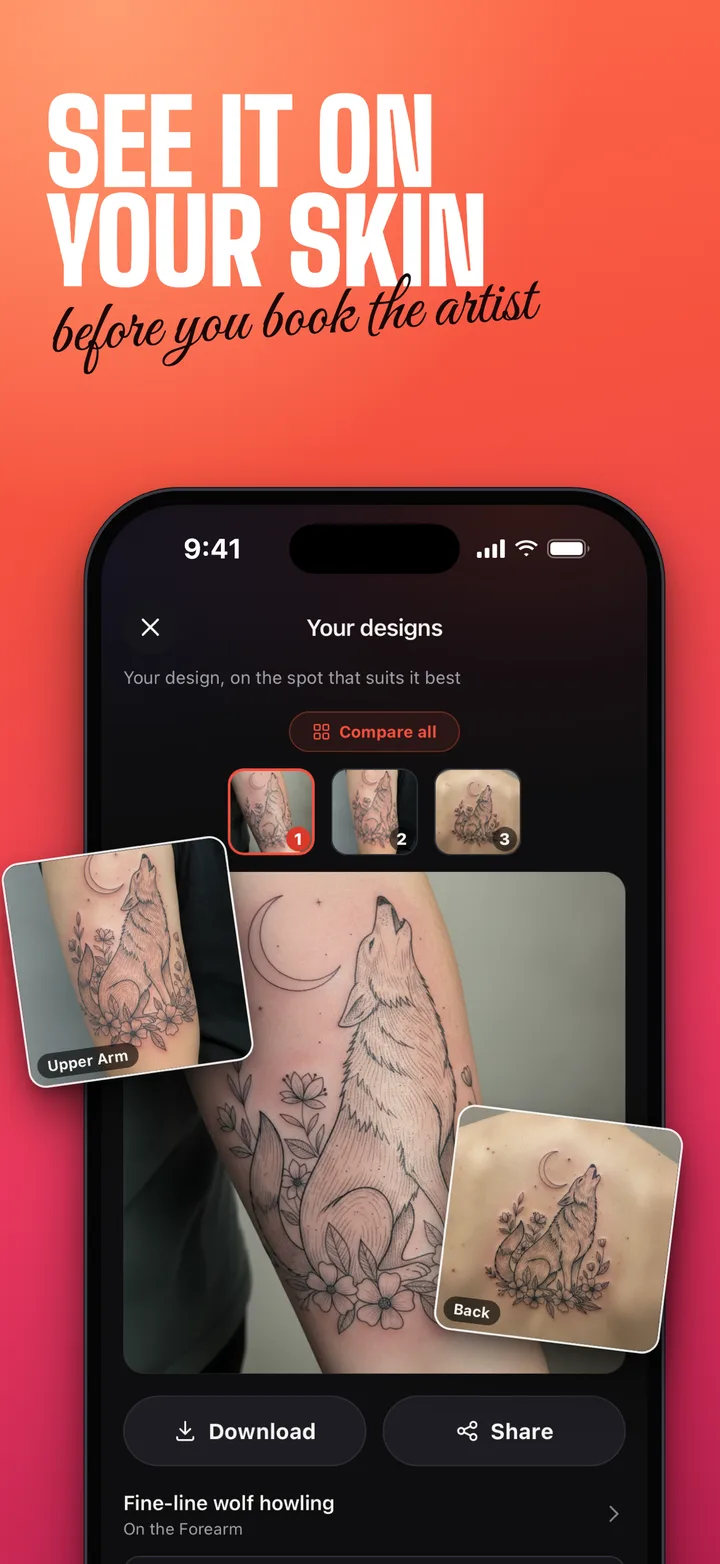
See it on your skin before you book the artist

Upload or take a photo and the AI inks the design right onto your body. A before and after slider shows exactly how it looks and fits.

  • Live mode: drag, resize and rotate the design on your photo
  • Skin detection keeps ink on your body, never on clothes
  • Start from your own idea or any ready-made design
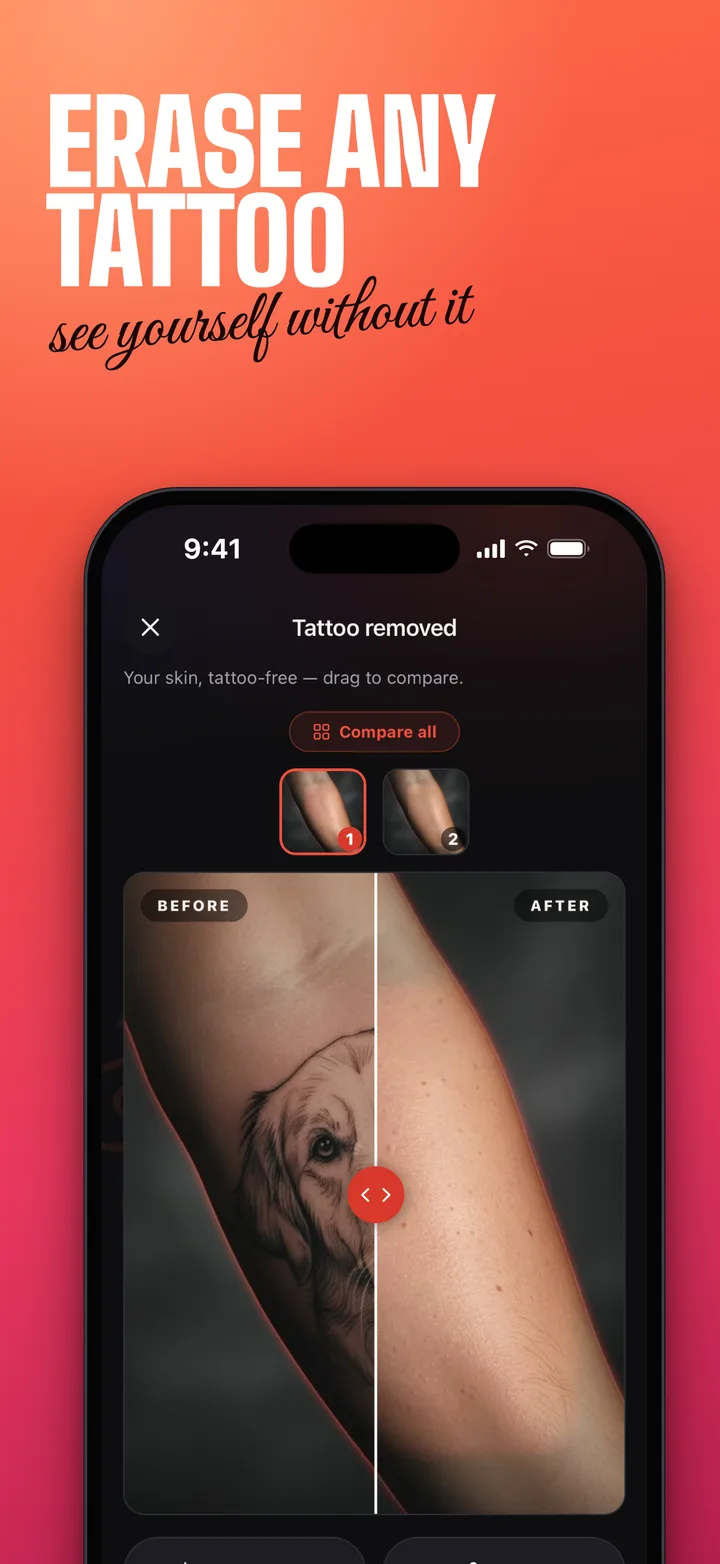
Before and after view of a tattoo erased by AI
03 · Fix

Erase, redo or cover up see yourself without it

Paint over unwanted ink and the AI restores clean, natural skin. Or keep the tattoo and make it better.

  • Remove: preview your skin without an old tattoo
  • Improve: the same design redrawn sharp and clean
  • Cover-up: design a new piece right over the old one
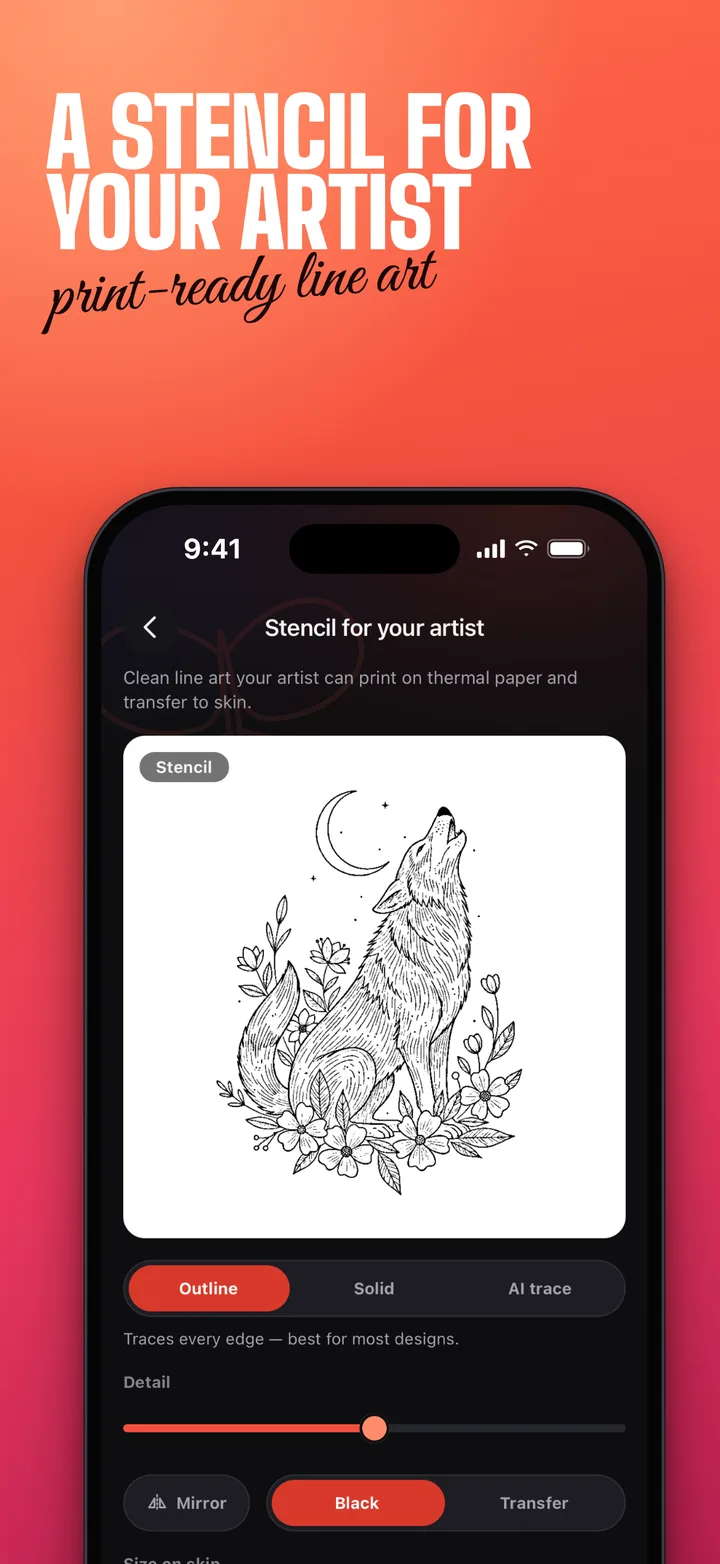
Printable tattoo stencil with outline, solid and AI trace modes
04 · Take it to the studio

A stencil for your artist print-ready line art

Export clean high-resolution line art your artist can print on thermal paper and transfer to skin, or share the design with friends in one tap.

  • Outline, solid and AI trace modes with adjustable detail
  • Mirror for transfer, black or color lines
  • No watermark on Pro exports

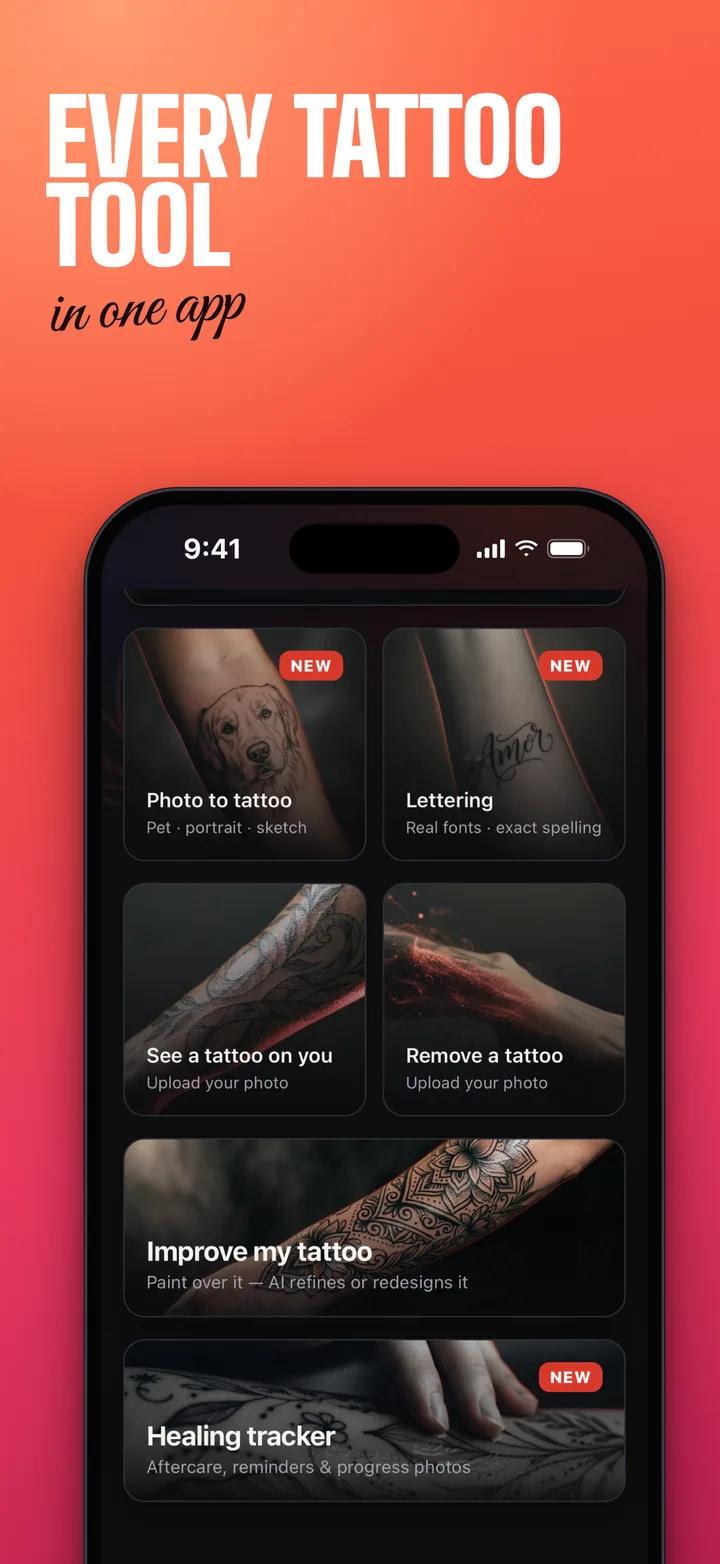
Every tattoo tool in one app

One subscription unlocks all of them. No per-tool packs.

Text to tattoo

Describe an idea, get two designs in your chosen style.

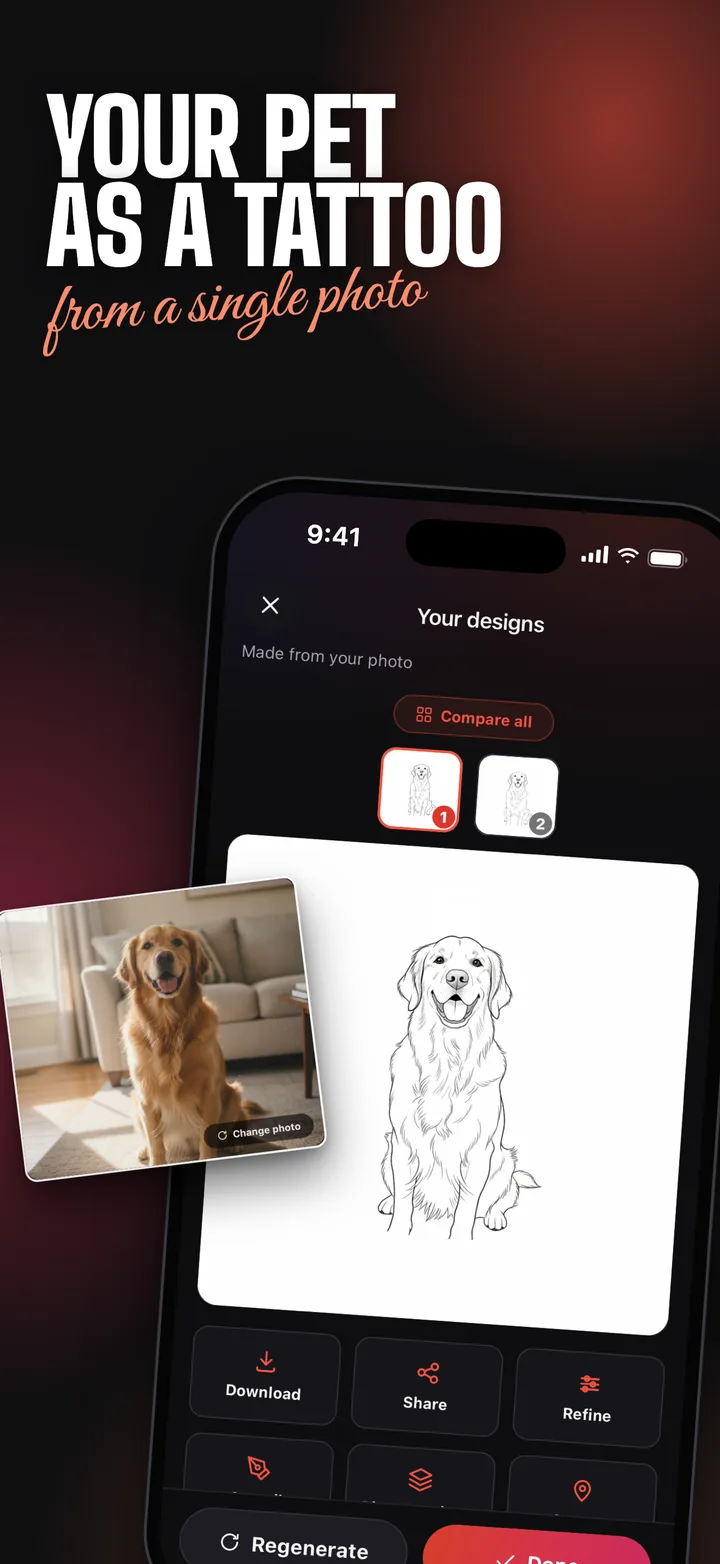
Photo to tattoo

Turn your pet, a portrait or any photo into tattoo line art.

Try on your skin

The AI inks the design onto your photo with a before and after slider.

Live mode

Place, drag, resize and rotate a design on your photo by hand.

Remove a tattoo

Paint over the ink and see natural skin in its place.

Improve or cover up

Redraw an old tattoo sharp and clean, or design a cover-up over it.

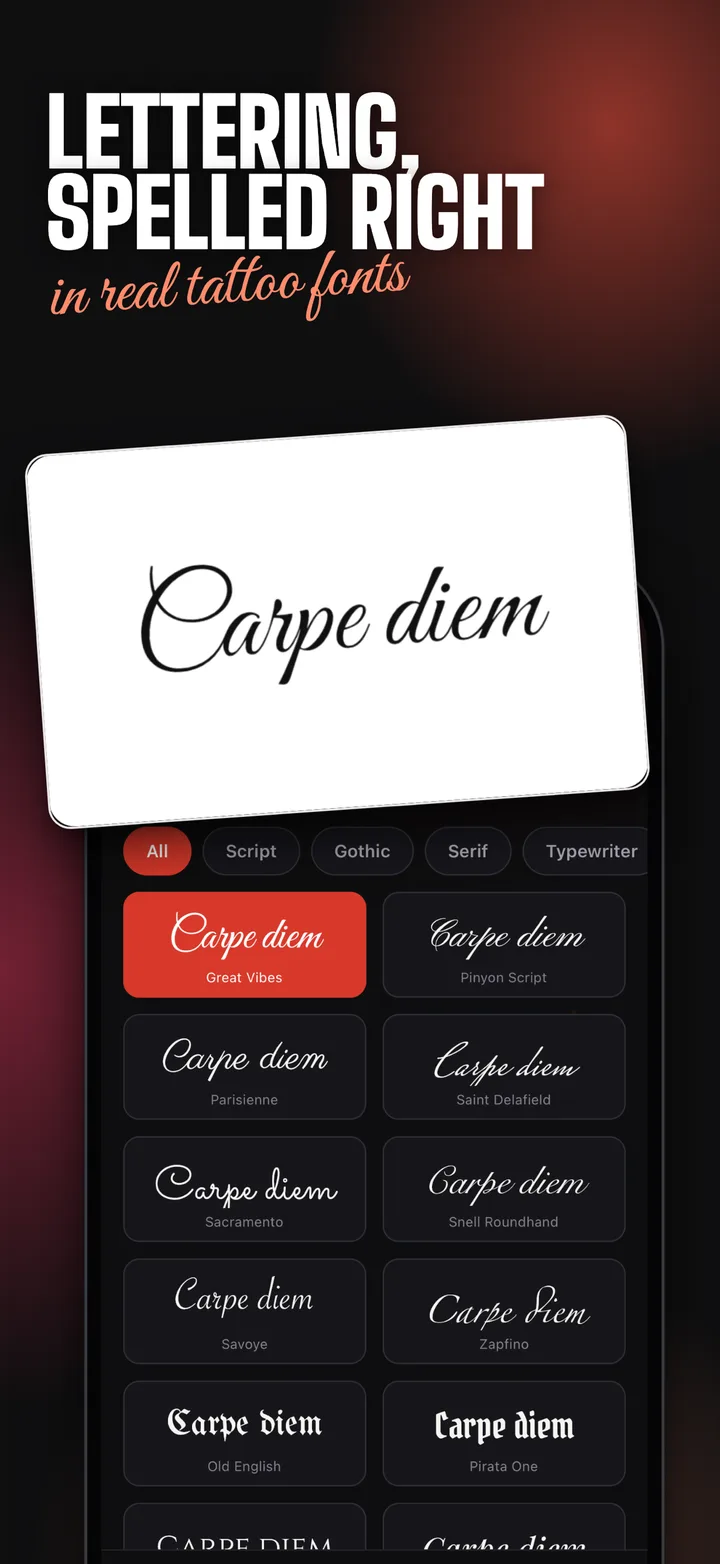
Lettering

Names, dates and quotes spelled right in real tattoo fonts.

Stencil export

Print-ready line art in high resolution for your tattoo artist.

Shape your idea then let the app draw it

Write what you want, add a style and a placement, and copy a ready prompt to paste into Tattoo AI.

Your prompt will appear here.
Draw it in Tattoo AI

Generation runs in the app. Not sure about the style? Compare 20 tattoo styles.

Tattoo AI app icon

What’s new in Tattoo AI 1.1.1

Updated October 11, 2026 · iOS 15.1 or later · Free download

  • Tools on the home screen now show before and after
  • Share the app and get a free design
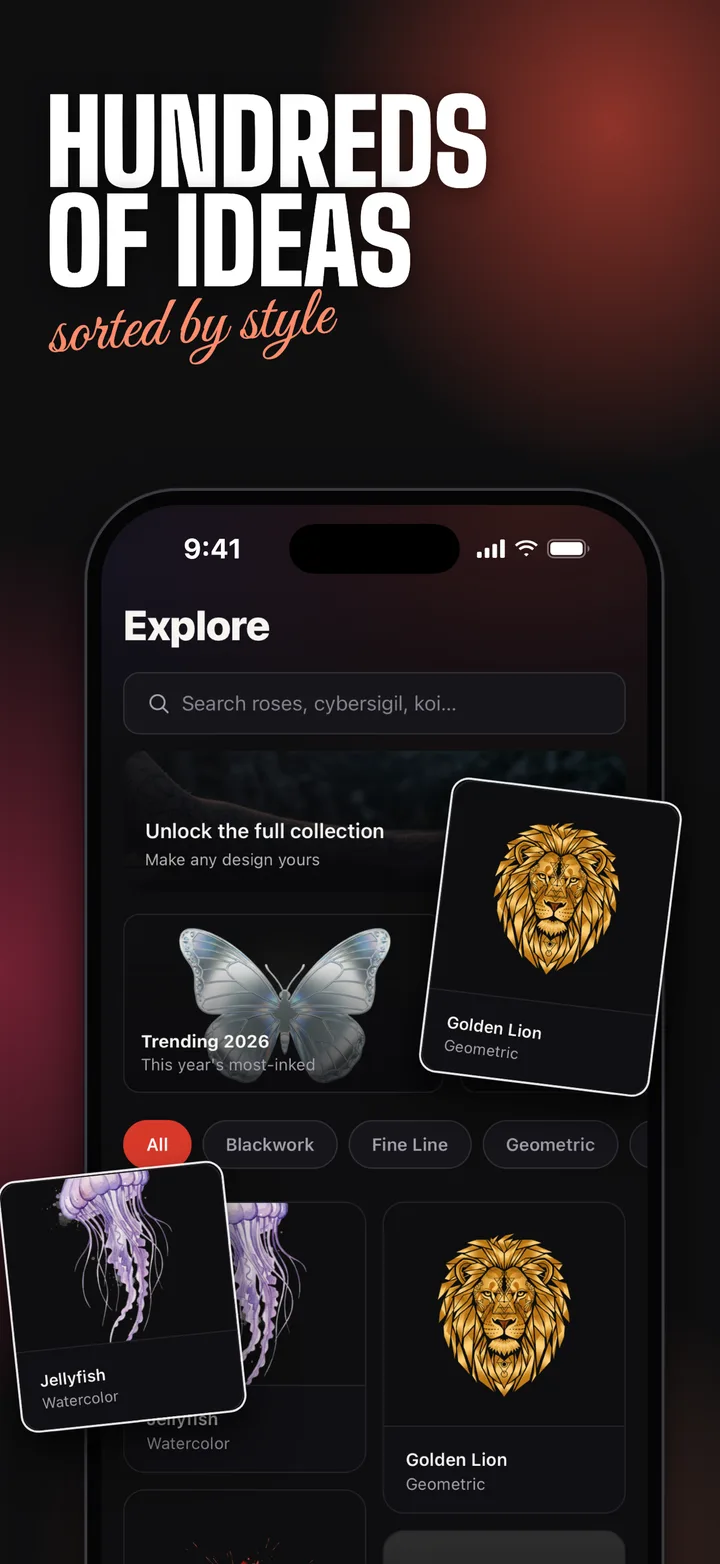
  • Nearly 100 new designs in Explore
  • A notification when your design is ready
  • A faster Explore, bug fixes and stability improvements

From idea to ink in three steps

Describe

A phoenix, a geometric sleeve, your dog’s face. Type it, upload a photo or tap Surprise me.

Generate and try on

Pick the better of two designs, refine it and see it on your own skin.

Book with confidence

Export a clean stencil and show your artist exactly what you want.

Find your style

History, placement tips and design ideas for each style, with designs you can recreate in the app.

All 20 tattoo styles →

Tattoo guides

Expert tips and inspiration for your perfect tattoo. Browse all guides →

Complete Guide to Popular Tattoo Styles

Choosing a tattoo style is one of the most important decisions you'll make. With AI tattoo generators now available, you can preview any style before committing...

Choosing a tattoo style is one of the most important decisions you'll make. With AI tattoo generators now available, you can preview any style before committing to ink. Here's a comprehensive breakdown of the most popular tattoo styles.

Minimalist & Fine Line Tattoos

Minimalist tattoos have exploded in popularity. These designs use thin, delicate lines to create elegant artwork. Perfect for first-timers, fine line tattoos work beautifully on wrists, ankles, and behind the ear. Common subjects include geometric shapes, small flowers, constellations, and meaningful symbols. The key advantage? They're subtle enough for professional settings while still being personally meaningful.

Japanese Irezumi

Traditional Japanese tattoos (Irezumi) feature bold outlines, vibrant colors, and iconic imagery: koi fish, dragons, cherry blossoms, and samurai warriors. These designs often tell stories and follow specific compositional rules, with backgrounds of waves, wind bars, and clouds. Modern interpretations blend traditional motifs with contemporary techniques.

Geometric & Sacred Geometry

Geometric tattoos use mathematical precision to create mesmerizing patterns. From simple triangles and hexagons to complex mandalas and Metatron's Cube, these designs appeal to those who appreciate symmetry and order. They look particularly striking on shoulders, forearms, and chest.

Watercolor Tattoos

Watercolor tattoos mimic the fluid, splashy aesthetic of watercolor paintings. They use vivid colors without heavy black outlines, creating an ethereal, painterly effect. Popular subjects include flowers, birds, abstract splashes, and landscapes. While stunning, they may require touch-ups over time as the soft colors can fade.

Blackwork & Dotwork

Blackwork encompasses any tattoo done entirely in black ink. Dotwork is a subset that uses thousands of tiny dots to create shading and dimension. These styles are incredibly versatile, from bold tribal patterns to intricate ornamental designs. They age well and maintain their impact over decades.

With an AI tattoo design app, you can experiment with all these styles instantly. Simply describe your idea, select a style, and see professional-quality designs in seconds. Try different styles on the same concept to find your perfect match, or compare all of them in the guide to 20 tattoo styles.

How to Choose Your First Tattoo: A Beginner's Guide

Getting your first tattoo is exciting but can feel overwhelming. This guide covers everything you need to know before sitting in the artist's chair. Start with...

Getting your first tattoo is exciting but can feel overwhelming. This guide covers everything you need to know before sitting in the artist's chair.

Start with Meaning

The best first tattoos have personal significance. Think about symbols, dates, quotes, or imagery that resonates with your life story. A meaningful tattoo is one you'll never regret. Consider creating a "tattoo wishlist" and revisiting it after a few months to see which ideas still excite you.

Placement Matters

Your first tattoo's placement affects both the experience and the result. Less painful areas include the outer forearm, upper arm, thigh, and calf. More sensitive spots like ribs, spine, inner bicep, and feet hurt significantly more. Also consider visibility: can you cover it for work? Will it stretch or distort with body changes?

Size and Detail

Beginners often want tiny, intricate designs, but very small tattoos can blur over time as ink migrates. A good rule: if the design has fine details, go slightly larger than you think. Your artist can advise on the minimum size needed to maintain clarity. Using an AI tattoo generator helps you visualize different sizes before committing.

Finding the Right Artist

Not every tattoo artist excels in every style. Search for artists who specialize in your chosen style. Review their portfolio extensively, check healed photos (not just fresh ink), and read reviews. A good artist will also offer honest feedback about your design's feasibility.

Preparing for Your Appointment

Get a good night's sleep, eat a solid meal, stay hydrated, and avoid alcohol for 24 hours before. Wear comfortable clothing that allows easy access to the tattoo area. Bring your reference images (AI-generated designs work perfectly for this) and be open to your artist's suggestions for modifications.

Using AI to Perfect Your Design

Modern tattoo design tools let you generate and refine your concept before spending money on artist consultations. You can experiment with styles, adjust compositions, and try the design on a photo of your own skin to see how it will look. Walk into the studio with confidence and a clear vision.

Tattoo Placement Guide: Best Spots for Every Design

Where you place your tattoo is just as important as the design itself. The right tattoo placement enhances the artwork and ensures it ages beautifully. Arms: Th...

Where you place your tattoo is just as important as the design itself. The right tattoo placement enhances the artwork and ensures it ages beautifully.

Arms: The Most Popular Canvas

Forearm tattoos are the most requested placement worldwide. The flat, visible surface is ideal for scripts, portraits, and medium-sized designs. The inner forearm is slightly more sensitive but offers a natural showcase. Upper arm and shoulder tattoos are easy to conceal and provide a larger canvas for detailed work. Full sleeve tattoos remain the ultimate statement piece, allowing for cohesive, flowing narratives.

Chest & Back: Going Big

The chest offers a dramatic canvas, especially for symmetrical designs that follow the body's natural lines. Back pieces provide the largest uninterrupted surface, perfect for elaborate scenes, mandalas, or full-back compositions. These placements are popular for Japanese-style tattoos and large-scale blackwork.

Legs: Underrated Territory

The thigh is one of the least painful spots and offers excellent real estate for larger designs. Calf tattoos are increasingly popular for their visibility in shorts or skirts. Shin tattoos create striking vertical compositions but sit on a more sensitive area.

Small & Discrete Spots

Wrist, ankle, behind the ear, and finger tattoos are perfect for minimal, meaningful designs. These placements suit fine line work, small symbols, and initials. Keep in mind that hands and fingers fade faster due to frequent washing and sun exposure.

Use an AI tattoo preview tool to test different placements on a photo of your own body. Seeing the design in context helps you make the perfect decision before any ink touches skin.

Tattoo Aftercare: How to Heal Your New Tattoo

Proper tattoo aftercare is crucial for preserving your new ink. Follow these expert-recommended steps for the best healing results. The First 24 Hours Your arti...

Proper tattoo aftercare is crucial for preserving your new ink. Follow these expert-recommended steps for the best healing results.

The First 24 Hours

Your artist will cover the tattoo with a bandage or wrap. Leave it on for the recommended time (usually 2-4 hours, or up to 24 hours for medical-grade film wraps). When you remove it, gently wash with lukewarm water and fragrance-free antibacterial soap. Pat dry with a clean paper towel -- never rub.

Days 2-14: The Critical Period

Apply a thin layer of recommended aftercare ointment (like Aquaphor or a specialized tattoo balm) 2-3 times daily. Keep the tattoo moisturized but not smothered. Your skin will start peeling around day 3-5 -- this is normal. Never pick or scratch peeling skin, as this can pull ink out and cause patchy healing.

Weeks 2-4: Final Healing

Switch to a fragrance-free moisturizing lotion. The tattoo may appear slightly cloudy or dull during this phase -- don't worry, this is normal. Colors will brighten and lines will sharpen as the final layer of skin forms over the ink.

Long-Term Care

Always apply SPF 50+ sunscreen on healed tattoos when exposed to sun. UV rays are the number one cause of tattoo fading. Stay hydrated, moisturize regularly, and your tattoo will look vibrant for decades.

What to Avoid During Healing

No swimming (pools, ocean, hot tubs) for at least 2 weeks. No direct sun exposure. No tight clothing rubbing the area. No gym or heavy sweating for the first few days. No alcohol or blood thinners right after getting tattooed, as they increase bleeding and can affect ink retention.

How AI is Revolutionizing Tattoo Design

Artificial intelligence is transforming the tattoo industry. From concept to final design, AI tools are helping both clients and artists create better tattoos f...

Artificial intelligence is transforming the tattoo industry. From concept to final design, AI tools are helping both clients and artists create better tattoos faster.

From Idea to Design in Seconds

Traditional tattoo design requires either artistic skill or expensive consultations. AI tattoo generators bridge this gap by converting text descriptions into professional-quality designs instantly. Describe "a geometric wolf with mountain landscape" and get multiple unique interpretations in seconds.

Style Exploration Made Easy

Wondering if your idea works better as watercolor or blackwork? AI lets you generate the same concept across dozens of styles. This experimentation, which would take an artist hours to sketch, happens in minutes. Clients arrive at their appointments with a clear vision, saving everyone time and money.

Try It On: See Before You Ink

Try-on tools put an AI-generated design onto a photo of your own skin. Adjust size, rotation, and position until the placement feels right. This eliminates the anxiety of "will it look right?" and gives you complete confidence before committing.

Collaboration Between AI and Artists

Professional tattoo artists increasingly use AI as a starting point. The AI generates initial concepts, which the artist then refines with their expertise in skin anatomy, ink behavior, and artistic nuance. This collaboration produces better results faster, with clients getting more iterations during the design phase.

The Future of Tattoo Technology

As AI models improve, expect even more realistic previews, better understanding of how designs will age, and personalized style recommendations based on your body type, skin tone, and existing tattoos. The technology isn't replacing artists -- it's empowering both artists and clients to create better art together.

Tattoo AI FAQ

An AI tattoo generator turns a short text description or a photo into an original tattoo design. In Tattoo AI you type an idea such as a fine line phoenix on the forearm, pick a style and a placement, and get two designs in seconds that you can refine, try on and export as a stencil.

Describe your idea in your own words, pick a style and a body placement, and the AI draws two unique variations in seconds. Compare them side by side, regenerate or refine until it feels right.

Take or upload a photo of the spot you want inked and the AI puts the design right onto your skin. A before and after slider compares bare skin with the result. In Live mode you place the design on your photo yourself and drag, resize and rotate it, while skin detection keeps the ink off clothes and background.

Open a design and export it as a stencil in outline, solid or AI trace mode. You get clean high-resolution line art, ready to print on thermal paper and hand to your tattoo artist. Pro exports have no watermark.

Paint over the ink you want gone and the AI restores natural skin, so you can see yourself without it. You can also redraw an old tattoo sharp and clean, or design a new cover-up right over it.

Fine line, blackwork, geometric, Japanese, traditional, neo-traditional, minimal, dotwork, watercolor, tribal, ornamental, script, botanical and more, from tiny minimalist pieces to full sleeves. See the tattoo styles guide for what each one looks like.

The app is free to download and you can browse the idea library. Tattoo AI Pro is an auto-renewable subscription that unlocks unlimited AI generations, unlimited HD downloads and every tool. You can cancel any time in your App Store account settings.

Tattoo AI app icon

Your next tattoo starts with one line

Plan your first piece or your next sleeve. Explore ideas, find your style and walk into the studio with confidence.

Download on theApp Store